Getting Started
September 30, 2026
Understanding the Clear Street Account Application Process
After submitting your application to open a Clear Street account, you may wonder what to expect and how long the process takes. This article outlines the typical steps involved and what you may be asked to provide.
Eligibility and Application Review Timeline
To open a Clear Street account, you must be at least 18 years old.
Once you submit your application, it will be placed under review. You can generally expect an update via email within 1 hour (during normal business hours). When your account is approved and opened, you will receive a welcome email with next steps.
Common Requirements During Review
Our team may reach out to request additional information or documentation before your account can be opened. Common requests include:
- Photo ID verification: You may be asked to complete an ID verification using a driver's license or passport. If our automated system is unable to process your initial submission, you will be sent a new verification link to try again.
- Proof of address: A current utility bill (gas, electric, water/sewer, or trash) is accepted. Phone bills and bank statements are not accepted for this purpose.
- Tax documents: You may be sent a tax form (such as a W-8) via DocuSign to sign electronically.
- Eligibility certification (for certain regions): Applicants in some jurisdictions (e.g., Australia) may be required to confirm they meet specific financial criteria, such as net assets above a threshold or minimum annual gross income, and to complete a certification form.
Tips for a Smooth Application
- Respond promptly to any requests from our team to avoid delays.
- Use a passport or driver's license for ID verification — do not use a Global Entry ID.
- For proof of address, only submit a current utility bill (gas, electric, water/sewer, or trash).
- Complete any DocuSign documents as soon as possible after receiving them.
- If a specific certification form is requested, please complete and return that form.
Checking Your Application Status
If you have not received an update within 24 hours of submitting your application, or if you have questions about outstanding requirements, please contact our support team. Be sure to have your registered email address on hand so we can locate your application quickly.
After Your Account Is Opened
Once your account is open, you can get started with the following:
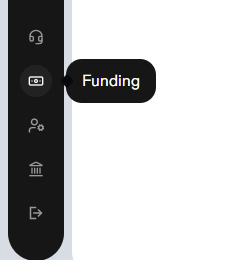
- Funding your account: Use the funding icon on the left-hand sidebar to link a bank account for ACH transfers. See 📄 Funding Your Account
- Transferring assets: To transfer assets from another brokerage, complete the ACAT form. You can download it from 📄 Account Transfer (ACAT)
- Options trading: To apply for options trading, see 📄 Enabling Options Trading on Your Account
- Commissions and fees: For commissions, interest rates, and account fees, see 📄 Fees and Pricing